Build an app like Uber

An Uber-style
ride-hailing app
branded for your market

Build a transport or delivery service for your city, brand, language, payment setup, and driver model. Waslni provides the shared product and per-tenant controls; the exact launch plan depends on configuration, local approvals, testing, and store review.

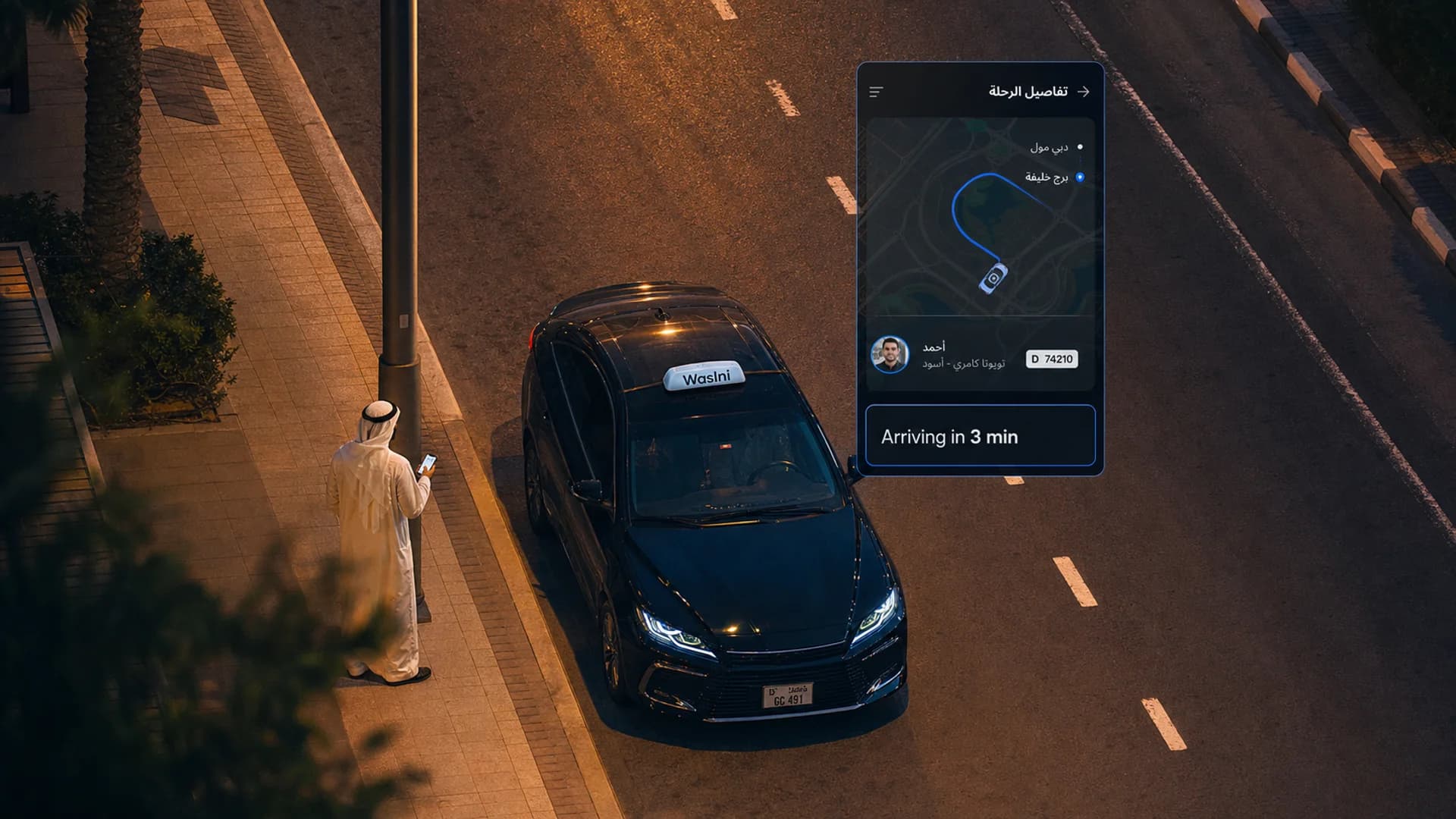
A Waslni-branded ride-hailing app in a Middle-Eastern city at dusk
Scoped
Launch plan based on market dependencies
8 bundled
Interface languages; each tenant exposes only its configured set
Per tenant
Payment activation through the operator’s merchant account
1 app
Rider and driver modes in the same mobile product
By Waslni Editorial TeamPublished · Last updated · 9 min readWhite-label ride-hailing

Uber has become shorthand for an on-demand transport product. If you want to compete in your city, the important question is not whether the home screen looks familiar; it is whether booking, driver work, pricing, support, payments, and administration operate together under your rules.

Waslni is a white-label platform: software presented under the operator’s identity rather than the vendor’s. It provides a maintained shared product while letting each tenant configure its brand, service types, fares, registration flow, roles, payments, content, and App Experience.

Each tenant has its own app identity, operating settings, registration flow, and supported payment configuration on the shared product. A new market still requires local payment, licensing, privacy, and operational review.
What you actually get

A full
ride-hailing system
under your name

One branded mobile app adapts to riders, drivers, shop owners, and authorized staff. Quick operations are available in-app, and the full administration workspace lives on the web.

01 / Rider

Rider mode — iOS + Android

The branded mobile app gives riders phone sign-in, address search, fare estimates, trip requests, chat, safety tools, ratings, configured payment methods, referrals, promo codes, and an Arabic-first interface.

02 / Driver

Driver mode in the same app

Online/offline controls, incoming request handling, navigation, earnings and wallet views, plus a document and registration flow reviewed by the operator. Registration sections, fields, and requirements are configured by the admin for each tenant and service type.

03 / Operator

In-app operations + full web admin

Authorized staff can reach quick operational tools inside the app. The full web panel handles requests, reports, roles and permissions, service types, registration forms, payment settings, content, and the broader business configuration.

Why Waslni

Built where you operate.
Not retrofitted to it.

Waslni is designed around Arabic RTL, regional operating needs, tenant-specific configuration, and supported payment integrations that are activated per merchant account.

01

Arabic-first by default

The mobile app bundles eight interface languages, including right-to-left Arabic and Hebrew. Each tenant exposes only the languages configured for its market; English and Arabic are the normal baseline.

02

Regional payment integrations

The current integrations include Lahza for Palestine and Fawry, Kashier, and Paymob for Egypt. Activation depends on the tenant’s merchant account and setup; any additional country or gateway requires a separate review.

03

Real white-label, not a re-skin

Your colour palette, logo, app name, bundle ID, store listing, deep-link host, and splash screen are tenant-specific variables. This lets each operator publish a distinct identity while using the maintained shared product.

04

Operator control, not vendor lock

Service types, pricing rules, peak-hour windows, driver document lists, registration form fields, even the content of the policy pages — your admins edit them from the dashboard. You do not file a ticket every time you want to change a fare.

Honest comparison

A clone script vs.
a real platform

A one-time code handover and a maintained hosted platform create different ownership, staffing, update, and operating responsibilities. Confirm each responsibility in writing before choosing either model.

Feature
Alternative to verify
Confirm in the vendor’s current demo and contract
Waslni
Hosted, configurable, MENA-first
Rider mode in the branded mobile app
Verify
Driver mode in the same mobile app
Verify
Operator dispatch + admin panel
Verify
Arabic UI + RTL
Verify screen by screen
Supported; launch QA required
Supported MENA payment integrations
Verify providers and merchant approval
Configured per tenant
Per-tenant configuration without code deploy
Verify
Admin-editable driver registration forms
Verify
Admin-editable service types & peak-hour rules
Verify
Role-based permissions (Super Admin / Admin / Manager / CS)
Verify
Multi-tenant ready (run multiple brands)
Verify
Data ownership and export terms
Must be verified
Defined in the service agreement
Launch planning
Varies by scope
Scoped around market dependencies
A controlled launch sequence

From kickoff to
a branded app in the stores

01 /
Step 1

Brand intake & tenant provisioning

Send us your logo, brand colours, store metadata, and the country you are launching in. We provision your tenant, set up your subdomain, and configure currency, language defaults, App Experience, and the supported payment integrations approved for your merchant account.

  • Custom colour palette applied to app + admin + web booking
  • Bundle ID + app name reserved with Apple / Google
  • First admin account created on the panel
02 /
Step 2

Operations setup

Your team configures the operational side from the admin panel: service types (sedan, SUV, van, motorcycle), pricing per kilometre and per minute, peak-hour multipliers, driver registration documents, and the cities you are launching in.

  • Service types, fare formulas, peak-hour windows
  • Driver document checklist (admin-editable)
  • City geofences and base locations
03 /
Step 3

Compliance & payments

Payment gateways connect through your merchant accounts. Your team configures the driver registration form and document requirements, then reviews submissions from the admin panel. The operator remains responsible for local licensing, data protection, and legal review.

  • Supported gateway credentials supplied through the operator’s merchant account
  • Driver registration and document-review workflow
  • Privacy, terms, and local requirements reviewed by the operator
04 /
Step 4

Store submission & soft launch

We prepare the single branded app for submission under your developer accounts. The same build covers rider and driver modes, reducing store, release, support, and onboarding overhead.

  • EAS production builds submitted to App Store + Play Console
  • Controlled pilot sized to the operator’s risk and service area
  • Monitoring and review before broader availability
Frequently asked

Honest answers.
Not sales answers.

01 /

What does "build an app like Uber" mean with Waslni?

It means the service appears under your name and visual identity. Waslni provides one branded mobile app with rider and driver modes, permission-aware operational tools inside the app, and the full admin workspace on the web. Your team controls service types, prices, registration fields, permissions, and the App Experience.

02 /

How long does it take to launch?

The schedule depends on brand assets, developer accounts, gateway approval, local licences, configuration, testing, and store review. We confirm a scoped launch plan once those dependencies are known.

03 /

Is Waslni the source code I can self-host?

No. Waslni is hosted, multi-tenant SaaS. You get one branded mobile app, tenant-specific configuration, and administration tools. Data ownership and export terms should be stated in the customer agreement.

04 /

Which countries and payment gateways are supported?

The current integrations include Lahza for Palestine and Fawry, Kashier, and Paymob for Egypt. Activation depends on the tenant’s merchant account and setup. A new country or gateway requires a separate review of technical, commercial, and local requirements.

05 /

How much of the product can my admins change without code?

A lot. Service types and fares, peak-hour multipliers, driver document requirements, registration form fields, permissions and roles, branding (logo + colours), policy + terms + rules pages, banners, OTP providers — all of it edits live from the admin panel. Code deploys are reserved for genuine product evolution, not routine business changes.

06 /

How does pricing work?

Pricing depends on the selected scope, operating model, and required integrations. Payment-processing fees are set by the operator’s gateway. Request a proposal based on the modules and market you plan to launch.

Ready to see it?

Have your branded ride-hailing
app configured for your market

Explore the unified rider-and-driver app, its in-app operational tools, and the full web admin panel on the demo environment.

Build an app like Uber — Waslni white-label ride-hailing platform